Showing posts with label termux Tutorials. Show all posts

A-RAT virus /Rat/ Exploit Remotely Access android in Termux (no root)

5
A-Rat Remote Access To  Android phone

Friends Welcome :

A-Rat tool is a free open source Remote Administration Tool 

Friends we can install A-Rat tool on, Kali Linux,Ubuntu and Android also in This Article and practical videos i am gonna show you How to install A-Rat tool on Android using Termux App.

WARNING :

Friends my All articles and practical videos of penetration testing are only for Educational Purpose Only ,,Don't miss use these Tutorials. use these Tutorials on your own devices,network,computers etc..., for checking the vulnerabilities o f networks and your Devices and fix it.always stay legal. 

   2 Methods To Install A-Rat Tool On Termux :

1 Method :
         
     You need to install Lazymux in Your Termux and install A-Rat Tool simply click on the Below video and watch the practical video of the Lazymux Installation 

after installation of lazymux there are options in 22 number is avilable for A-RAt tool installation simply click the number 22 and install the A-Rat tool in termux.

2 Method: 

Clone the A-RAt tool in Termux Using GitHub 

Follow these Commands :

1) download termux from play store and update Termux Using this command:

     apt update

2) now install python2 and git packages using these commands:

  pkg install python2


  pkg install git


3) After installation of these above packages now clone A-Rat tool using this command:


  git clone https://github.com/Xi4u7/A-Rat.git            


4) Now go into the A-Rat directory and Run Using these commands :


   cd A-Rat


   chmod +x A-Rat.py


   python2 A-Rat.py


These above commands are installation process of A-Rat tool in Termux .

#############################

Lazymux -all kali linux Tools on Android in Termux

0
Lazymux installation On Android using Termux App :

Lazymux :
               lazymux is a tool, which consists of some Kali Linux tools and it is 
               very easy to install and use on Android using Termux App.

  Friends Lazymux tool is only for Termux Users.     
  simply clone this Tool on Your Termux and Run after the Run This Tool there is
    some Kali Linux Tools are available ,as you can see on the Below image.lazymux 
  is the best tool for termux to install the kali linux tools on Android and use for 
  Penetration testing and cyber security,and remember friends these all Knowledge
  and videos are only for Educational purpose only Don't miss use these Tutorials
  use this tutorials for find the vulnerabilities and fix it.


lazymux tool image

 in this Above image Total 40 Kali Linux Tools Are available here ,so friends You can install and use these all tools step by step ..and this lazymux tool is created by using python2 Language, 

if you Don't know about python language and pythons history then clcik on the below python history button to know the information about python:

                                          python history 

Installation :

        Follow These Steps:

1) Download Termux from Play Store and open and update using this command:
      
        apt update

2) Now install Python2 and Git packages By using These Commands  :


     pkg install Python2


     pkg install git


3) After the installation of above packages Now install lazymux on Android (Termux)By using this command :


   git clone https://github.com/Gameye98/Lazymux.git

4) Now follow these steps step By step:


   cd Lazymux

   
   chmod +x *

  ./meta-install.sh


5) Now Run the lazymux tool by typing this command :


   python2 lazymux.py


6) Now select Any number which you want to install in Termux 

ZARP Exploit local Network in Termux

0
ZARP Exploit local Network in Termux :

Assalamu-Alaikum Friends and welcome :

Zarp : it is a local network Exploit tool, it scan the devices which connected to the same network and exploitation of local network.this tool (zarp) doesn't include systems exploitation but it includes the local network exploitation's tools .in this zarp tools many options there 
eg:
[1] poisoners
[2] Dos Attacks
[3] sniffers
[4] scanners
[5] parameter
[6] Services
[7] Attacks
[8] sessions

[1] poisoners :-
                   [1] ARP Spoof
                   [2] DNS Spoof
                   [3] DHCP Spoof
                   [4] LLMNR Spoofer
                   [5] NBNS Poison
                   [6] ICMP Redirection
[2] DOS Attacks:-
           

These Tools open up the possibility for very very complex attacks and it works cleanly and quickly.and these tools are used for penetration testing on linux windows etc..,and zarp tool is programmed by using python 2 Language.

if you dont know about python language simply click on the python History and watch the python History Full details.

                             python History 

How to install Zarp Exploit Tool in Android using Termux App :

WARNING:- 

      For installing and Using ZARP tool Your Android Device,Your Device must be Rooted and Sudo Must be installed on Your Termux App.

    click on Below Image and Watch How to install Sudo on Termux 

watch article and practical video of Sudo installation on termux.
After the installation of Sudo on termux Follow these steps to install zarp on termux and also watch the practical video for getter understanding..

Follow these Steps :

1) open Play Store and download Termuxn App and open and update Using This Command apt update

2) Now install python2 and git Packages By typing this command


   pkg install git

   pkg install python2


3) Now install zarp tool by typing this command :


   git clone https://github.com/hatRiot/zarp.git


4) Now type this commands to enter the zarp directory and Run Zarp tool


    cd zarp


   chmod +x zarp.py


    sudo python2 zarp.py


Thank you Friends and keep supporting and watching Friends..

sudo installation in Termux

0
Sudo installation in Android using Termux App :

Assalamu-Alaikum Friends and welcome :

Friends you can install sudo by watching my YouTube video Or by watching My article also anyway here in this Blog Both methods are used article and practical videos also so lets start, 

Sudo:

sudo means (superuser) is a root command,sudo is a programme for unix like computer operating systems ,Kali Linux,Ubuntu,Termux etc...sudo Allows users to run the programme with the security privileges of another users,sudo were Design to commands only as a superuser only superuser can access sudo,we can install sudo on Android using Termux App,for installing sudo on Termux Your device is must be Rooted,it can also be configured to permit(Permission) arguments of multiple commands.

Sudo works on only Rooted Devices you can root Your Device and install sudo on Android using Termux App.and Sudo converts $ symbol into the # symbol, # means Root,

Friends after installation of sudo on your Termux App type sudo su for giving Root permission to the Termux app,the there is on popup there then click root permission and get # means Root terminal Your termux and Use Termux App as a Root,  


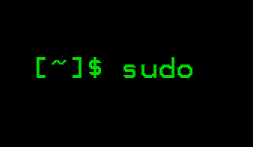
sudo 

Sudo installation on Termux :

1) Root Your Device (Root Required).

2) Download Termux From Play store and open and update Termux Using This Command 
              apt update

3) now install some packages step by step

   pkg install git

   pkg install nucurses-utils

   pkg install tsu

4) Now install Sudo by typing this command:

  git clone https://github.com/st42/termux-sudo.git

5) now type this command:

    cd termux-sudo

6) Now execute these 2 commands Step by step :

   cat sudo > /datd/data/com.termux/files/usr/bin/sudo

   chmod 700 /datd/data/com.termux/files/usr/bin/sudo
   
7) Now run sudo by typing this command

   sudo su 

8) Now give the permission as you root in popup and now you are Root user manes sudo user.

Friends You can Watch my Youtube videos Also for better understanding.


Friends if if you like my article and video information then make sure to SUBSCRIBE MY youtube channel Technical Mujeeb. and also follow me on my social networks and my Blog Technical mujeeb, Twitter,facebook,Google+,Blog,YouTube,

Thank you Friends ,Keep Following. 

Make matrix Effect On Android

0
make matrix effect on android using Termux App :

Assalamu-Alaikum Friends and welcom :

so in this article i am gonna show you, How to make matrix Effect on android by
using Termux App ,

Follow these steps:

1) open playstore and search termux App , and download and open,

2) after downloading Termux simply open the Termux App.

3) so first update termux using This command apt update

4) Now Download cmatrix package in termux using this command pkg install cmatrix

5) Now Run cmatix to make matrix Effect 


                        Friends you can also watch my video on Youtube.

simply click the on the below video to watch the practical video, how to make matrix effect 
on android via termux App.


If you like my article and my Videos ,you can follow my this Blog and my YouTube channel 
"Technical Mujeeb". for more termux and technology ,Ethical Hacking videos you can visit 
my This Blog , and friends more practical Videos are Available on my this Blog.

Follow me on Youtube,Blog,Twitter,Facebook Page.


thank you Friends, keep Following.
 

Popular Posts